60 to 90 Day Playbook: Sales Prompt Library for Founder Led SaaS
Build a MEDDIC aligned sales prompt library and prove lift with a 60 to 90 day pilot. Use CRM triggers, 3 to 6 objections, and versioned in call prompts.
Published: September 18, 2026
Author: OffBook Editorial Team

A sales prompt library is a curated set of glanceable, in-call coaching cues and pre-call briefs that real-time coaching software surfaces to reps while a meeting is actually happening. Tools like Offbook build these libraries around trigger detection, so a mention of pricing or a competitor’s name pulls up the right question or rebuttal on screen. The point isn’t documentation. It’s changing what the rep does in the next 30 seconds.
TL;DR:
- Trigger calibration is crucial; prompts fired more than twice in one call indicate misalignment or a need for direct coaching.
- Building a small, focused library of six to ten prompts based on real call recordings yields better adoption and results than larger, generic sets.
- In-call prompts must be concise, factual, and action-oriented to be processed in under two seconds, avoiding open-ended or behavioral feedback cues.
- Running a 60 to 90-day pilot with mid-performers helps evaluate quota impact, CRM data quality, and prompt usefulness before scaling the system.
- Effective prompts are tagged with relevant metadata and integrated into workflows, directly surfacing during live calls without disrupting the meeting.
Table of Contents
- What Goes Into a Sales Prompt Library and Why It Works Live
- How Do You Design Prompts That Actually Work Mid-Call?
- How to Build a Minimal Sales Prompt Library From Real Calls
- In-Call Coaching vs. 1:1 Coaching: Where’s the Line?
- Pilot and Rollout Checklist: What to Measure in 60–90 Days
- Sample In-Call Prompts and a Pre-Call Brief Template
- Why Founder-Led Teams Can’t Treat This as a Side Project
- Put Real-Time Coaching to Work on Your Next Call
- Sources
- FAQ
What Goes Into a Sales Prompt Library and Why It Works Live
A working library isn’t a wiki page of talk tracks nobody opens. It’s a structured set of short cues tied to moments in the conversation, built to be read in under two seconds without breaking eye contact with a prospect.
The core components usually look like this:
- Triggers — the words, phrases, or CRM signals that fire a prompt (a competitor name, a pricing question, silence after a hard question).
- Content types — discovery questions, objection counters, and qualification checks tied to a specific selling stage.
- Battle cards — condensed positioning against named alternatives, ready the instant a rep hears “we’re also looking at.”
- Pre-call briefs — a short snapshot of the company and person the rep is about to meet.
Every entry also carries metadata: persona, deal stage, difficulty level, and a methodology tag such as MEDDIC or MEDDPICC. This tagging is what separates a real library from a folder of scripts. Design research on B2B sales calls found that successful conversations carry lower structural density and respond best to cues delivered inside a 60-second intervention window. Cram too much text into a prompt and the rep either ignores it or loses the thread of the call. Glanceable wins over comprehensive, every time.
How Do You Design Prompts That Actually Work Mid-Call?
Most prompt libraries fail for one reason: they read like coaching memos instead of in-the-moment cues. A prompt a rep can’t process in under two seconds is a prompt that gets ignored, no matter how well it’s written.
Three things determine whether a prompt earns its place in the library:
- Trigger type. Keyword triggers catch specific language (“that’s more than we budgeted”). Sentiment and pace triggers catch tone shifts and dead air. CRM field triggers fire off deal stage, a logged competitor, or a pricing field the rep just updated.
- Prompt phrasing. Keep it to two sentences max, written as a direct instruction, not a suggestion. “Ask what budget range they had in mind” beats “You might want to explore their budget expectations” every time.
- Operational hygiene. Every prompt needs a version number, a difficulty rating, and a clear retirement rule. If a prompt hasn’t fired usefully in 90 days, cut it.
One rule worth building into your process from day one: in-call prompts state facts and offer a single next action. Save open-ended coaching, like “work on your tone when handling pushback,” for one-on-one sessions. Mixing the two is the fastest way to get reps to ignore the whole system.
Pro Tip: If the same prompt fires more than twice in one call for the same rep, that’s a signal, not a coincidence. Either the trigger is miscalibrated for that context, or the rep needs direct coaching on that specific skill, not another on-screen nudge.
How to Build a Minimal Sales Prompt Library From Real Calls
You don’t need six months and a full enablement team to get a working library live. Most early-stage teams can build a usable version in four steps, using calls they’ve already recorded.
- Inventory your best and worst moments. Pull exemplar clips from top-rep calls and from deals you lost. Look for the exact moment a great rep handled an objection well, and the exact moment a lost deal went sideways.
- Extract and tag objections. Group them by persona, deal stage, and the specific language prospects used. This becomes your objection library, and it’s the backbone of everything else you build.
- Write in-call prompts and pre-call briefs. Map each prompt to a CRM field so it fires automatically, and keep pre-call briefs to a single paragraph plus the facts a rep genuinely needs before the meeting starts.
- Version, pilot, iterate. Roll the first version out to a small group, track what fires and what gets ignored, and revise monthly.
A few things matter more than people expect during this build:
- Recruit your strongest closers for the clip-review step. They’re often unaware of what they’re doing right, which is exactly why it’s worth extracting.
- Don’t skip the lost-deal review. Objection handling gaps show up faster in losses than in wins.
- Keep the first version small. Six to ten prompts covering your most common objections beats forty prompts nobody memorizes.
Effective libraries stay version-controlled and tagged by skill and difficulty, with content iterated against actual rep performance rather than written once and left alone. Teams that treat this as a living system, revised monthly against real call outcomes, see far better adoption than teams that ship a static document and call it done.
In-Call Coaching vs. 1:1 Coaching: Where’s the Line?
Here’s the single rule that keeps a prompt library from turning into noise: if a rep can absorb it at a glance and it changes what happens in the current call, it belongs in-call. If it requires reflection, practice, or a longer explanation, it belongs in a one-on-one session.
Some concrete examples make this easy to apply:
- In-call: A pricing rebuttal when the prospect flinches at cost. A follow-up discovery question when a rep skips a MEDDPICC field.
- 1:1 coaching: Working on tone during pushback. Roleplaying a full discovery call. Breaking a habit of talking over prospects.
Practitioner guidance on live coaching consistently draws this same line: keep in-call cues limited to facts, brief rebuttals, and qualification gaps, and reserve behavioral feedback for coaching sessions. Adoption also depends on frequency. Cap how often prompts fire per call, run the rollout as an opt-in pilot rather than a mandate, and have managers review what’s firing weekly so the system stays useful instead of annoying.
Pilot and Rollout Checklist: What to Measure in 60–90 Days
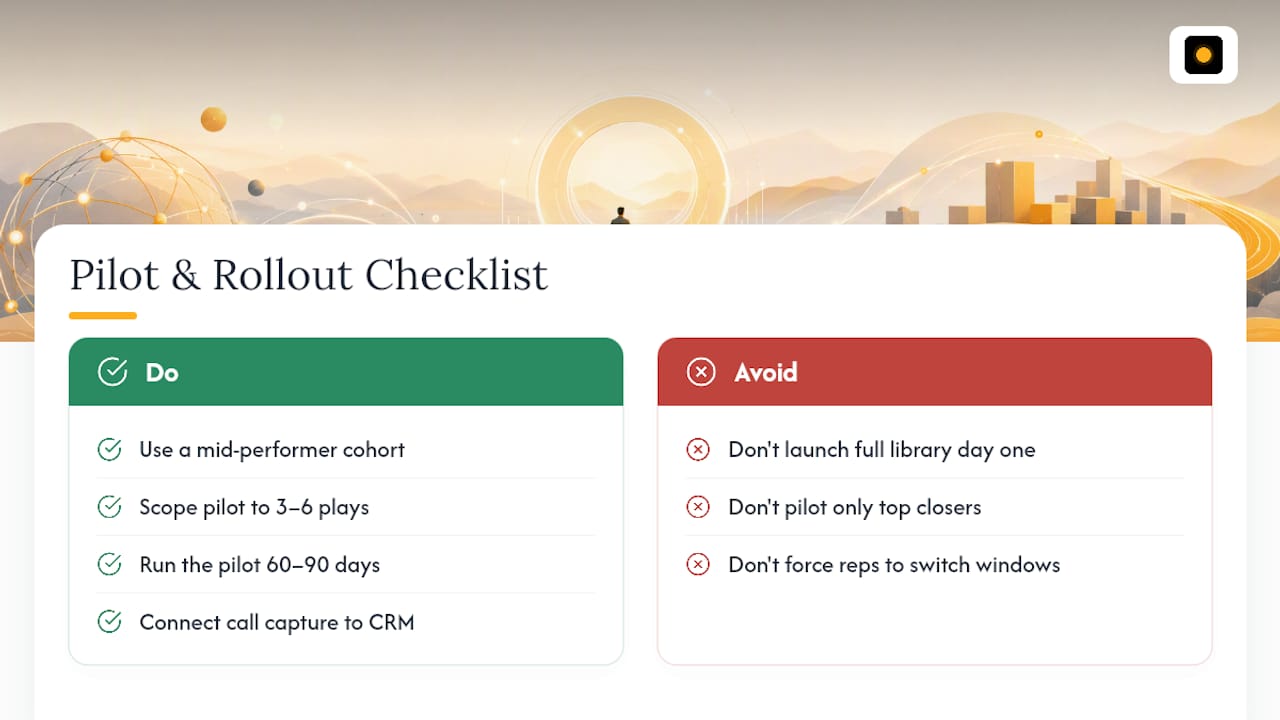
Run the pilot with a mid-performer cohort, not your top closers. Mid-performers have both room to improve and enough friction with new tools to surface real usability problems fast, which is exactly Otter when rolling out real-time coaching. Scope the pilot to three to six objections or plays, run it for 60 to 90 days, and resist the urge to launch with your full library on day one.
On the technical side, you need a live transcript or conversation feed, an overlay or side panel that doesn’t force reps to switch windows mid-call, and CRM sync so prompts pull real deal context automatically. Teams that connect call capture directly to CRM updates see meaningfully higher adoption, because the tool starts saving time instead of adding a step.
Live call coaching has been linked to roughly a 30% lift in quota attainment and 50% shorter ramp times in industry-collected data, with reported ROI averaging around $4.50 returned per dollar invested.
Track both sides of the ledger. Quantitative signals include quota attainment, ramp time, and CRM field completeness. Qualitative signals, like whether reps find the prompts helpful or distracting, predict long-term adoption better than any single number. If adoption and quota trends move in the right direction by day 90, that’s your green light to scale the library beyond the pilot cohort. For a deeper breakdown of which two metrics matter most when proving this to a skeptical CEO, see how sales managers prove coaching ROI.
Sample In-Call Prompts and a Pre-Call Brief Template
Specificity is what separates a prompt that gets used from one that gets ignored. A generic reminder to “handle the objection” does nothing. A prompt that names the competitor, the pricing tier, and the pain point the buyer already mentioned gives the rep something to act on immediately.
Three examples worth adapting:
- Discovery gap: “Ask what happens to their current process if this project stalls again next quarter.” Tags: discovery, MEDDIC-impact, mid-funnel.
- Pricing rebuttal: “Reframe cost against the manual hours they described losing weekly.” Tags: objection-pricing, late-stage, difficulty-medium. See more pricing objection cues for variations.
- Competitor response: “Ask what specifically drew them to evaluate [competitor] before this call.” Tags: competitor-mention, discovery. Full competitor-handling scripts cover more scenarios.
A pre-call brief should stay short: one paragraph on the company and the person, followed by three bullets the rep must cover before the call ends, whether that’s a budget confirmation, a decision-timeline question, or a specific champion check.
Pro Tip: Run two versions of the same prompt for two weeks, log which one gets ignored versus acted on, and kill the loser. This is the same discipline you’d apply to a landing page headline, just applied to a sentence a rep reads mid-call.
Why Founder-Led Teams Can’t Treat This as a Side Project
Founder-led SaaS teams don’t have six-month ramp windows to spare. A living prompt library, tagged to MEDDPICC and rebuilt from real call outcomes, closes that gap faster than any onboarding deck. Start with objections, not features. Offbook’s MEDDPICC breakdown is a solid next stop for deeper templates.
— Neil
Put Real-Time Coaching to Work on Your Next Call
If you’ve read this far, you already know the gap: writing a prompt library is one thing, getting it in front of a rep mid-call without disrupting the meeting is another. Offbook listens to the call and surfaces those in-call cues and pre-call briefs directly on screen, without a bot ever joining the meeting, structured around MEDDIC and MEDDPICC so the prompts reinforce the fields your CRM already tracks.
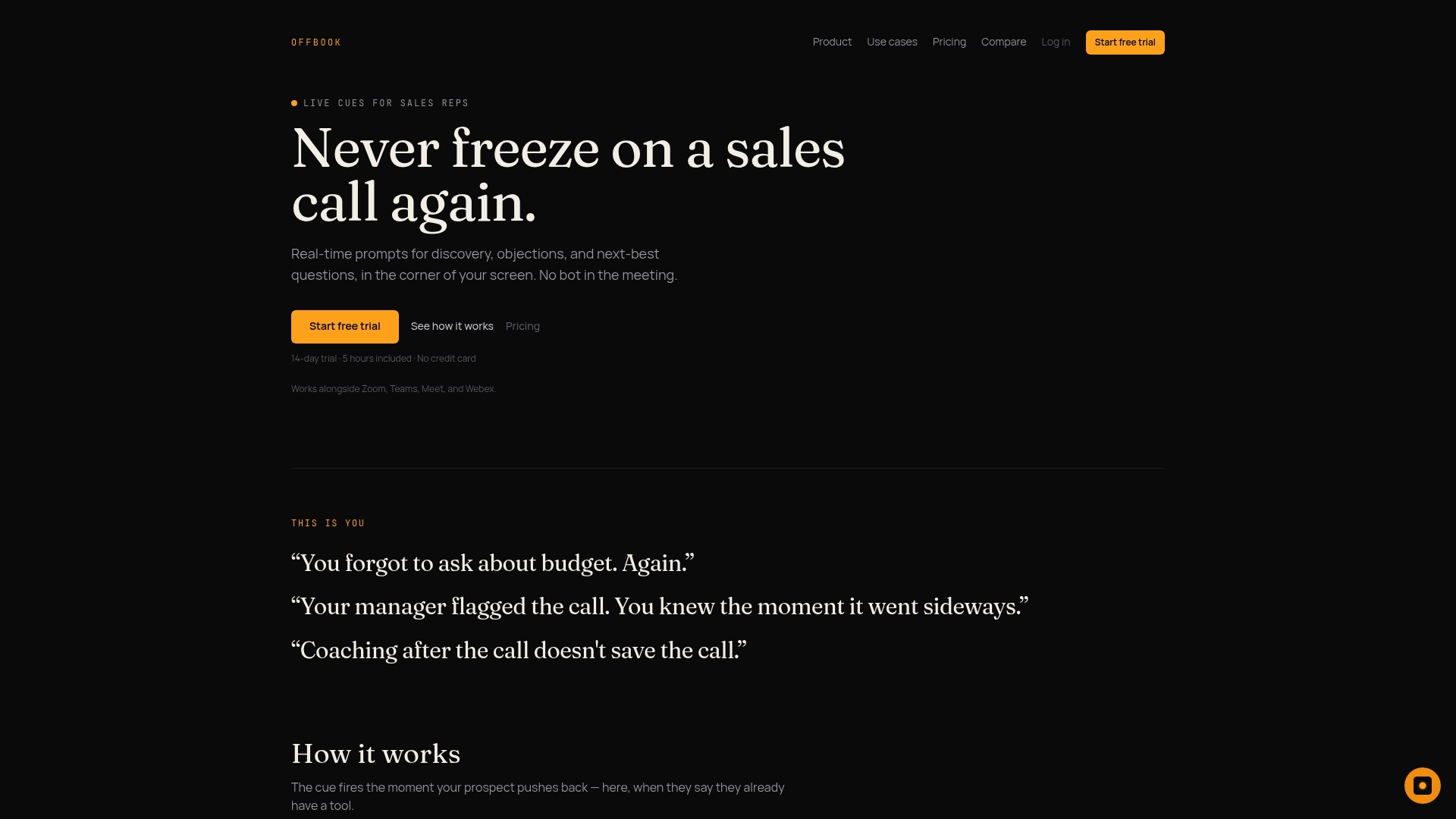
You can start with the Power plan at $59 a month (or $590 billed annually), or bring a full team on board at $1,000 per seat annually. Either way, borrow the pilot structure from this article: pick a mid-performer cohort, scope three to six objections, run it 60 to 90 days, and track quota lift and CRM completeness before deciding to scale. Check the AI call coaching product page for a walkthrough, or head straight to pricing to start a trial.
Sources
- Otter
- Sales coaching statistics and the impact of live coaching on quota attainment | Kixie
- AI-assisted sales coaching framework: Empirically-derived models for B2B communication analysis
- Quota
FAQ
What Is a Sales Prompt Library?
It’s a tagged set of in-call coaching cues and pre-call briefs that real-time software surfaces to reps during a live meeting, built around triggers like objections, competitor mentions, and qualification gaps.
How Long Should a Pilot Run?
Most teams need 60 to 90 days to gather enough quota, ramp time, and CRM completeness data to make a scale decision.
Should In-Call Prompts Include Behavioral Feedback?
No. In-call prompts should stay limited to facts, brief rebuttals, and qualification gaps; behavioral coaching and roleplay belong in one-on-one sessions.
What Metrics Matter Most for a Pilot?
Quota attainment lift, ramp time reduction, and CRM field completeness are the core numbers, alongside qualitative rep feedback on whether prompts feel helpful or distracting.
Does Offbook Include Pre-Call Briefs?
Yes. Offbook generates pre-call briefs on the companies and people a rep is about to meet, alongside live in-call cues built around MEDDIC and MEDDPICC.