Send Call Summaries in 30 Minutes With Templates Sales Reps Can Copy
Ready to use call summary templates and examples for discovery, demo, support, and internal syncs. Draft, send within 30 minutes, and turn notes into...
Published: September 12, 2026
Author: OffBook Editorial Team

A call summary is a short written record of what happened on a call: the decisions made, who owns what next, and by when. The best ones include three to five key discussion points, action items with named owners and deadlines, open questions, and the date and attendees, all sent within 30 minutes of hanging up. Below are copy-paste templates for sales discovery, demos, support, and internal syncs, plus filled examples for each.
TL;DR:
- Writing a summary within 30 minutes of the call significantly increases the likelihood it will be read and acted upon.
- Using a fixed template that highlights decisions, action items with owners and deadlines, and 3 to 5 key discussion points ensures clarity and usefulness.
- Speed and brevity are more important than polishing; summaries should be one screen long, around 150-200 words, with clear, actionable language.
- Linking the summary to CRM or project tools and attaching recordings or transcripts help maintain organized, accessible records.
- Regular review of summaries improves coaching and pipeline management by quickly identifying vagueness, missed owners, or open questions.
Table of Contents
- What a Good Call Summary Format Should Include
- The Timing and Format Rules That Actually Matter
- Copy-Paste Call Summary Templates by Use Case
- A Faster Workflow for Writing Summaries
- What Changes When Summaries Get Disciplined
- Why Consistent Summaries Are a Coaching Tool, Not Paperwork
- Let OffBook Handle the Capture While You Handle the Conversation
- Templates and Guides Worth Bookmarking
- Sources
- FAQ
What a Good Call Summary Format Should Include
Most call summaries fail for one reason: they’re either a transcript dump nobody reads or a two-line note that’s too vague to act on. The fix is a fixed set of fields, filled in the same order every time.
A call summary that actually gets used includes decisions with a brief rationale, action items tied to a specific owner and date, and a handful of discussion points rather than a full play-by-play. Skip the narrative. Nobody needs to know the call “started with small talk about the weather before pivoting to budget concerns.” They need to know what got decided and what happens next.
Here’s the priority order, from most to least critical:
- Decisions made — what was agreed, and one line on why (e.g., “Moved timeline to Q3 because legal review takes 6 weeks”)
- Action items with owners and deadlines — never “follow up,” always “Sarah sends pricing sheet by Friday”
- 3 to 5 key discussion points — the substance, not the small talk
- Open questions — anything still unresolved that someone needs to chase
- Participants, date, and call length — five seconds to type, invaluable when you’re searching six weeks later
- Next meeting or deliverable — the concrete next milestone, with a date if one exists
Quick stat: Guides that recommend three to five discussion bullets and a small action-item table with owners and due dates consistently point to the same structure, whether the source is a sales-focused call summary guide or Zoom’s own meeting-summary framework. That convergence isn’t an accident. It’s the minimum viable structure for a summary someone will actually read and act on.
Open questions deserve their own line, separate from action items. An action item has an owner and a deadline. An open question doesn’t yet, and burying it inside “next steps” is how it gets lost.
The Timing and Format Rules That Actually Matter
Speed beats polish. A summary sent within 30 minutes gets read and acted on; one sent the next morning competes with forty other emails and usually loses.
- Write it within 30 minutes. Memory of specifics decays fast, and a same-day summary is the version people actually open, according to research on meeting recap timing.
- Keep the visible summary to one screen. Aim for 150 to 200 words. If you need more detail, link the full notes or transcript instead of pasting them inline.
- Lead every action item with a verb. “Send,” “confirm,” “schedule,” not “pricing discussion” or “follow-up needed.”
- Log it where the team actually looks. That’s your CRM or project tool, not a personal notes app only you can find.
- Attach the recording or transcript separately if one exists, rather than transcribing it into the summary body.
Use a subject line format like “Recap, [Call name], [Date]” so summaries are searchable months later without opening each one to check the content and date.
Pro Tip: If you’re recording calls, say so at the start and confirm your storage policy complies with any two-party consent rules in your state. A one-sentence disclosure at the top of the call avoids a much longer conversation later.
Copy-Paste Call Summary Templates by Use Case
Different calls need different fields. A discovery call and a support ticket don’t share the same shape, but they share the same bones: purpose, key points, decisions, and owned action items with dates. Below are four templates you can paste into a doc right now, each with a short filled example.
Sales discovery call template
Fields: Purpose | Prospect signals (pain, budget, timeline, decision criteria) | Decisions | Action items (owner + due date)
Filled example:
Purpose: Qualify fit for mid-market tier; confirm budget owner. Prospect signals: Pain is manual reporting eating 10+ hours a week. Budget confirmed at $15,000 to $25,000 annually. Timeline is “before board meeting” in six weeks. Decision criteria: integration with existing CRM, SOC 2 compliance. Decisions: Prospect will loop in their VP of Ops for the demo. Action items: Rep sends case study by Wednesday. Prospect schedules VP for demo by Friday.
Redact internal pricing notes and any competitor names mentioned before forwarding this externally. This template pairs well with a structured discovery call framework that flags qualification gaps as they happen, not after the call ends.
Demo call template
Fields: Demo highlights | Blockers raised | Agreed trial terms | Next steps
Filled example:
Demo highlights: Automated tagging feature landed well; team lead asked to see it applied to their actual data. Blockers: IT needs to confirm SSO compatibility before any trial starts. Agreed trial terms: 14-day pilot, 5 seats, no card required. Next steps: Rep sends trial invite Monday. Prospect’s IT confirms SSO by Wednesday.
Support or triage call template
Fields: Issue summary | Steps taken | Workaround (if any) | Owner | SLA next step
Filled example:
Issue: Customer’s export function times out on files over 500 rows. Steps taken: Confirmed on customer’s account, replicated on staging. Workaround: Split exports into batches of 200 rows. Owner: Escalated to engineering, ticket #4471. SLA next step: Update within 48 hours per support SLA.
Internal sync or standup template
Fields: Purpose | Decisions | Blockers | Action items
Filled example:
Purpose: Weekly pipeline review. Decisions: Deprioritize the enterprise outbound push until Q3. Blockers: Marketing hasn’t delivered updated one-pagers. Action items: Marketing lead delivers one-pagers by next Tuesday. Sales lead reports pipeline coverage numbers Friday.
Every one of these follows the same structural logic recommended across call summary and call brief guides: purpose up front, decisions and actions before commentary, and nothing that reads like a transcript.
A Faster Workflow for Writing Summaries
You don’t need new software to get summaries out faster. You need a habit that starts before the call and ends with a task in someone’s queue.
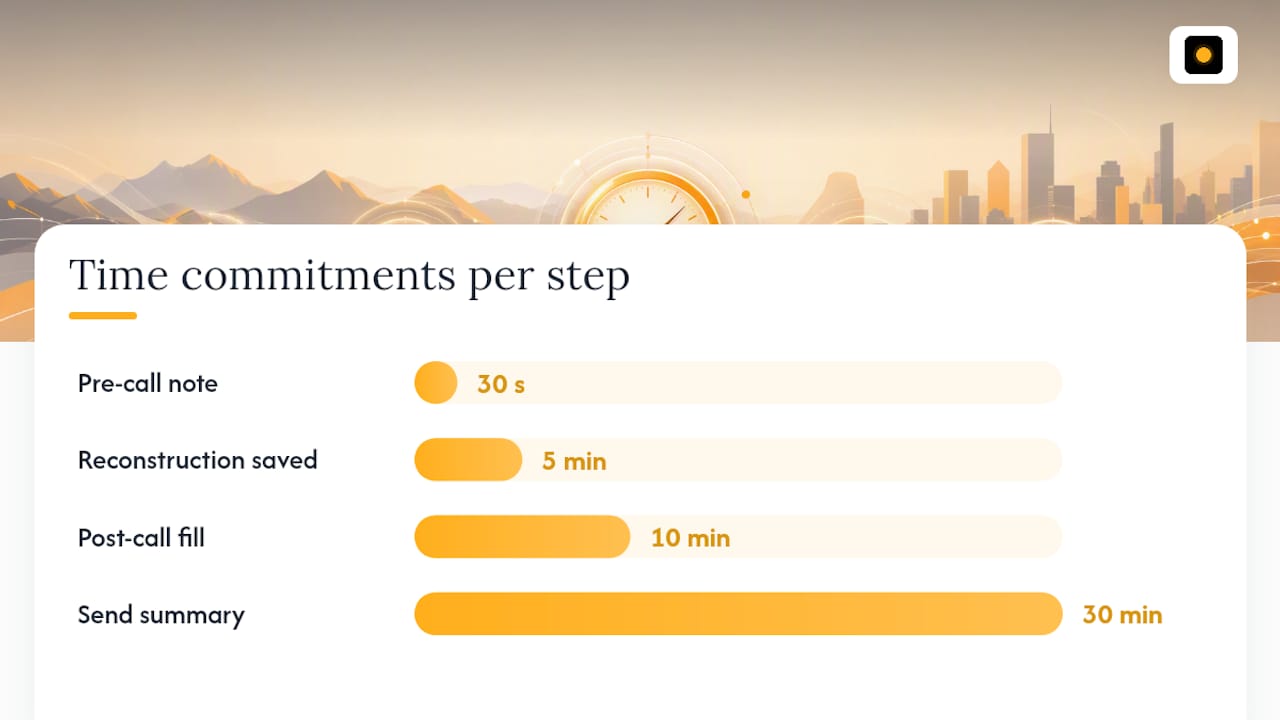
- Pre-call: Write a one-line purpose and note attendee roles in your CRM before you dial in. Thirty seconds now saves five minutes of reconstruction later, and a short pre-call checklist keeps this from becoming another skipped step.
- During the call: Log decisions and owner names verbatim as they’re said. Flag a timestamp if you’re recording, so you can jump straight to the moment later instead of scrubbing the whole file.
- Post-call (10 minutes): Fill the template, send it to attendees, log it in the CRM, and convert every action item into an actual task with a due date. If it’s not a task somewhere, it doesn’t exist.
Tool categories that shorten this loop: transcription and summarization tools that turn raw audio into text and rough bullets, CRM logging so the summary lives where deal history already sits, and task-manager integrations that turn action items into assigned, dated work automatically. A transcription layer like the ones from AI transcription providers feeds the raw material; the discipline of the template does the rest.
Paste this into your post-call routine: purpose line written, decisions logged with rationale, 3 to 5 discussion points captured, action items assigned with dates, summary sent within 30 minutes, task created in your project tool.
What Changes When Summaries Get Disciplined
Before a team adopts a standard format, follow-ups tend to slip through the same crack: someone says they’ll “circle back,” nobody writes down who owns it, and three weeks later the deal has gone cold. A support team without a triage template loses the same information a different way, with engineering re-asking questions the customer already answered on the call.
“The version people actually read is the one that fits on one screen and lands in their inbox within the hour, not the next morning,” one workflow guide on meeting summaries puts it. That’s the whole case for a fixed template: speed and brevity, not more detail.
Track three numbers to see if the shift is working: time-to-first-follow-up, percentage of action items closed by their deadline, and percentage of calls summarized within 30 minutes. These are the metrics a manager can actually pull from CRM logs without guessing. Pre-call briefs and instant post-call debrief drafts are one way teams shrink the gap between “call ended” and “summary sent,” since the drafting work starts before the rep even opens a blank doc.
Why Consistent Summaries Are a Coaching Tool, Not Paperwork
Most reps treat call summaries as an administrative tax. That’s backwards. A summary is the fastest diagnostic a manager has for how a rep runs a call, and reading one takes thirty seconds compared to sitting through a thirty-minute recording.
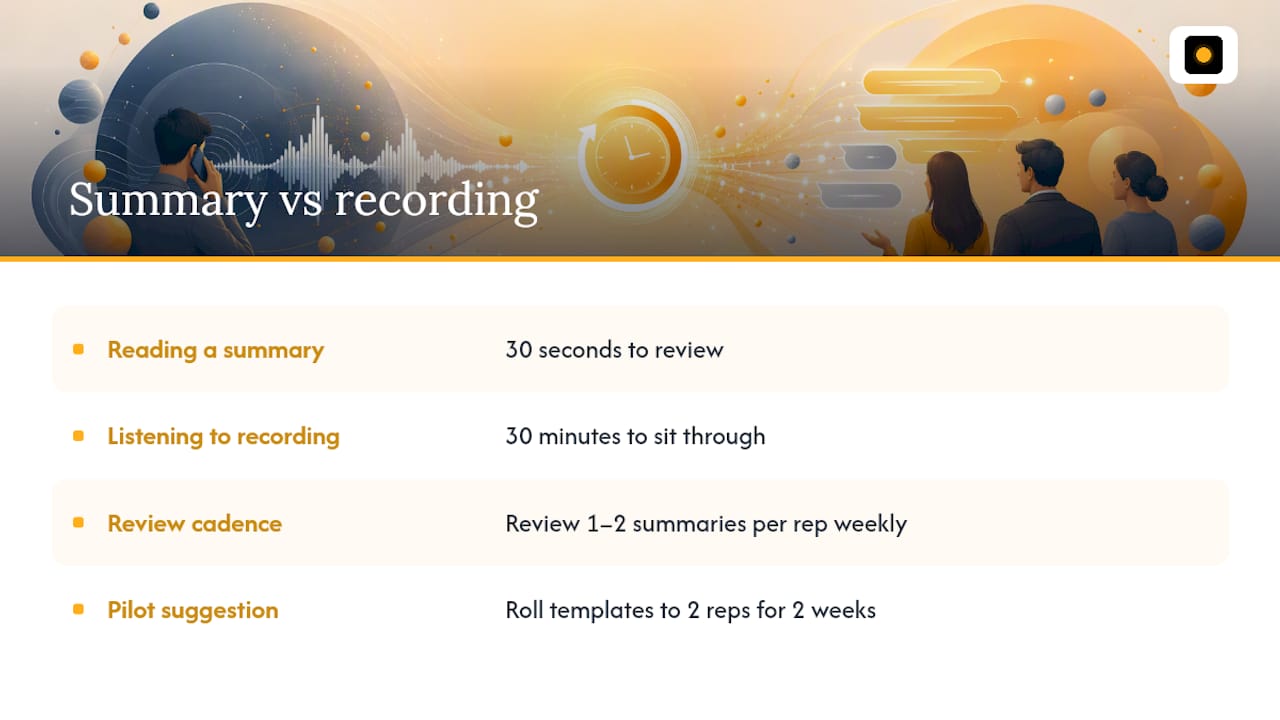
Review one or two summaries per rep each week. Look for vague action items (“follow up soon”) and correct them on the spot. That single habit, repeated weekly, does more for pipeline hygiene than any dashboard.
If you’re skeptical, pilot it. Roll the templates out to two reps for two weeks and compare their action-item closure rate against the rest of the team. The gap will tell you whether this is worth mandating everywhere.
— Neil
Let OffBook Handle the Capture While You Handle the Conversation
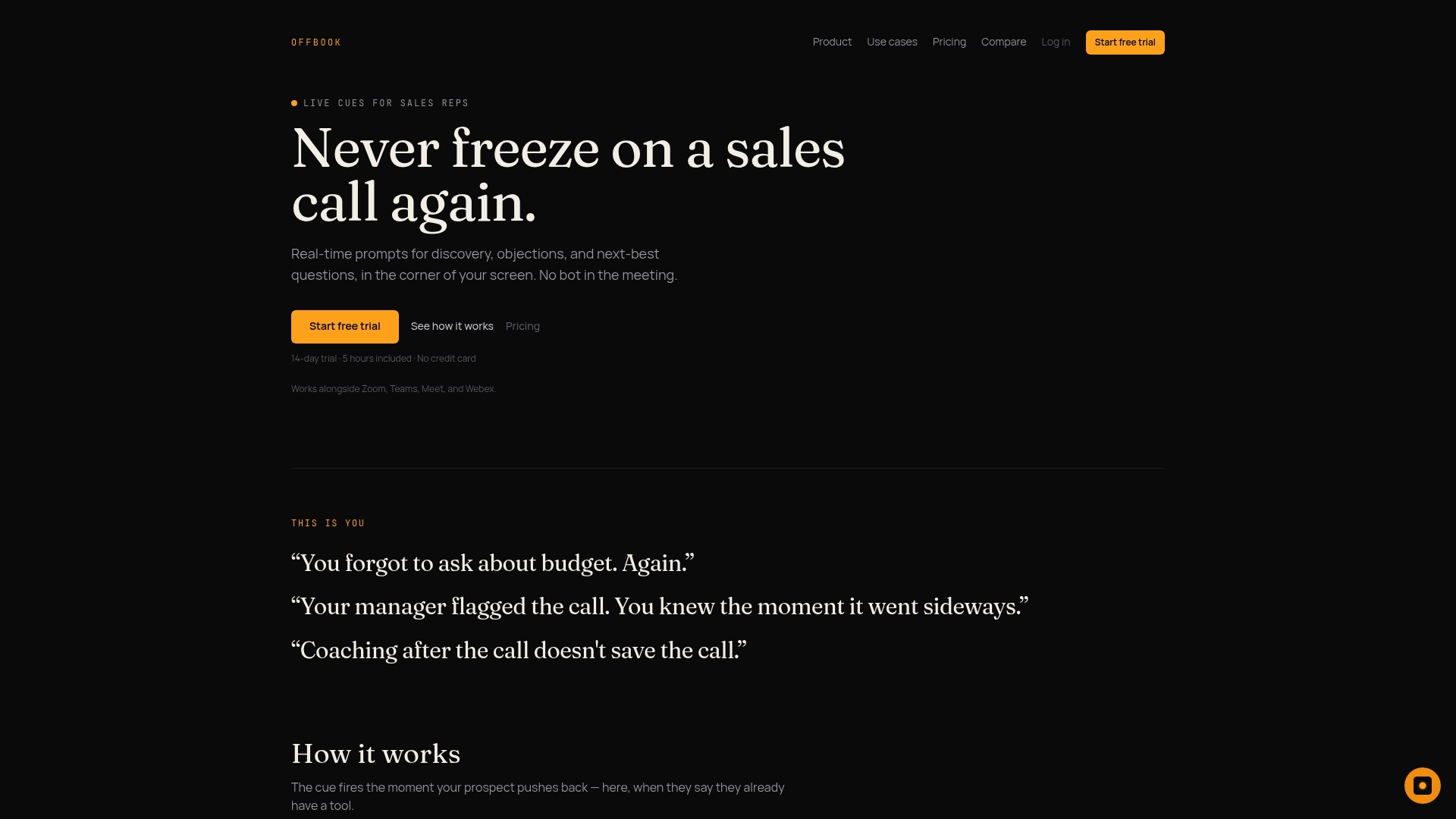
This type of software is built for reps who’d rather run the call than type through it. It listens during the conversation, prompts you in real time with the next question or objection response based on frameworks like MEDDIC and MEDDPICC, and drafts your post-call debrief the moment the call ends, so the “10-minute write-up” in your workflow shrinks to a quick review and send.
That matters most for the exact gap this article covers: the fields that keep getting missed under time pressure, like naming an owner or a firm deadline, are the fields pre-call briefs and debrief drafts are built to catch. Less manual capture, better coverage of decisions and open questions, and a summary that’s ready before you’ve even closed the tab. If you want to see how that fits your team’s calls, try OffBook’s real-time coaching for sales or start a trial to run it on your next live call.
Templates and Guides Worth Bookmarking
A few external resources are worth keeping on hand alongside your own templates: Zoom’s meeting-summary template for filled examples and action-item table formatting, AfterTheCall’s call brief templates for a leaner structure, MeetWave’s call summary guide for a broader field checklist, and Bookipi’s overview of call summary benefits for context on why the habit pays off across support and operations, not just sales.
Sources
- Call Summary: What to Include + Free AI Template (2026)
- How to Summarize a Meeting: 5 Steps + 3 Templates 2026 | notemeeting
- Meeting Summary: Call Brief & Next Steps – AfterTheCall
- How to write a meeting summary (Zoom blog)
FAQ
Can you give an example of a good opening spiel for a call?
Something like: “Thanks for making time, this should take about 30 minutes. My goal today is to understand [specific challenge], and I’ll send a short recap afterward so we’re both aligned on next steps.” Stating the purpose and the follow-up up front sets the expectation that a summary is coming.
How do I summarize a phone call quickly?
Fill four fields in order: decisions made, action items with owners and dates, three to five key discussion points, and open questions, then send it within 30 minutes while the details are still fresh in everyone’s memory.
What is a good call summary format?
A good format fits on one screen, roughly 150 to 200 words, and leads with decisions and action items rather than a chronological narrative of the conversation, following the structure recommended in Zoom’s meeting-summary guide.
How should you close a call before writing the summary?
End by restating the single most important decision and the next concrete step out loud: “So to confirm, you’re sending the contract by Thursday and I’ll follow up with pricing by Friday.” That verbal recap makes the written summary faster to write and harder to dispute later.
Does OffBook help with call summaries?
OffBook focuses on real-time coaching during the call itself, but it also generates instant post-call debrief drafts, which cuts down the manual work of building a summary from scratch after the call ends.