Run a 10-Minute AI Pre-Call Research Workflow
Discover how to streamline your sales prep with a powerful AI pre-call research workflow. Save time and deliver impactful pitches.
Published: August 26, 2026
Author: OffBook Editorial Team

The fastest effective way to prep for a sales call is a short, automated AI workflow that turns a prospect’s digital footprint into a 90-second brief, three opener hooks, and a flagged list of data risks, in under 10 minutes. This isn’t theoretical. Vendors building account research agents already report that automated briefs can cut manual prep time by 15 to 85 percent depending on how much of the process is automated. Pre-call research tools built for sales intelligence claim to reclaim 15 to 20 minutes per call that would otherwise go to manual digging.
The output you should expect from this workflow:
- A 90-second brief with a one-line company elevator pitch and role context
- Three verified “happening now” facts, each with a source link you can cite on the call
- Three tailored opener hooks built from those facts, plus flagged privacy or data-quality risks before anything syncs to your CRM
OffBook builds this same logic into its pre-call preparation layer, generating briefs on the people and companies a rep is about to meet, then pairing that prep with live in-call coaching so the research actually gets used mid-conversation instead of sitting unread in a CRM field.
Key Takeaways
Effective AI pre-call research combines a 10-minute automated workflow with strict data-minimization and human-approval controls, producing a 90-second brief a rep will actually read.
| Point | Details |
|---|---|
| Workflow speed | A trigger-to-delivery research loop should complete in under 10 minutes, mostly machine time. |
| Prioritize moving signals | Hiring surges, funding rounds, and product launches predict timing better than static firmographics. |
| Keep briefs short | Cap briefs at 90 seconds of reading time: one elevator line, three sourced facts, three openers. |
| Check vendor terms first | Review contribution and training clauses before connecting any enrichment tool to your CRM. |
| Pair prep with live coaching | OffBook delivers the pre-call brief to your meeting sidebar, then coaches live during the call itself. |
This article is general information, not a substitute for advice from a qualified lawyer. Consult a qualified legal professional about your own circumstances before acting on anything here.
Table of Contents
- Why AI Pre-Call Research Matters and What to Measure
- The 10-Minute AI Pre-Call Workflow, Step by Step
- Which Tools and Integrations Actually Automate This
- Privacy and Compliance Controls for US Sales Teams
- The 90-Second Pre-Call Brief Template
- Implementation Checklist and Common Pilot Mistakes
- Making AI Briefs Work in a Founder-Led Sales Motion
- How OffBook Automates Pre-Call Prep and Live Coaching
- Sources
Why AI Pre-Call Research Matters and What to Measure
Reps who skip prep wing it, and prospects can tell within the first 90 seconds. The real argument for automating this step isn’t convenience. It’s capacity. If a rep saves 15 to 20 minutes per call on manual research, per Ability.ai’s product data, that’s easily 3 to 5 hours a week back for a rep running 12 to 15 calls, hours that go toward more pipeline, not more scrolling through LinkedIn.
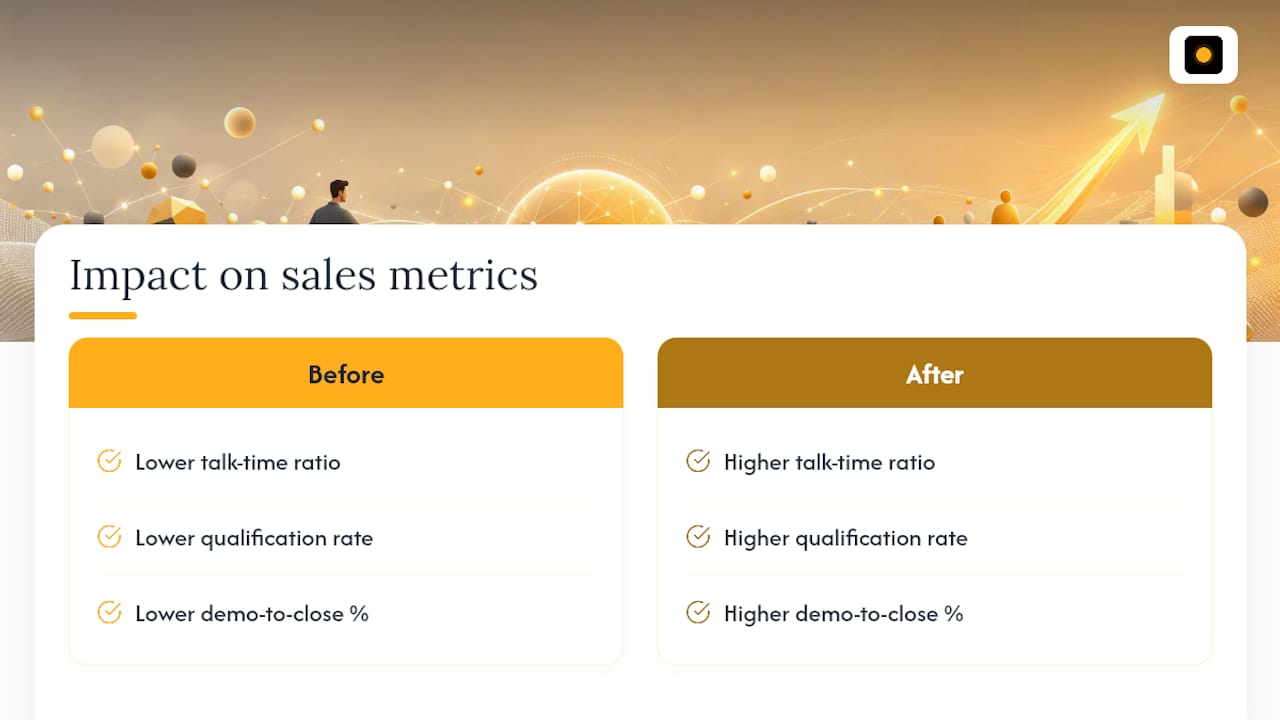
Time saved only matters if it shows up in the numbers that matter to a VP of Sales: talk-time ratio, qualification rate, and demo-to-close percentage. Track those before and after you introduce automated research, not just “did reps like it.”
Static firmographics, company size, industry, headquarters, tell you almost nothing about timing. A hiring surge for growth roles, a fresh funding round, or a product launch tells you the prospect has budget, urgency, or a new initiative worth asking about right now. Prioritize signals that move, not attributes that sit still.
The 10-Minute AI Pre-Call Workflow, Step by Step
Here’s the exact sequence, whether you’re running it manually with a stack of tools or letting an agent handle most of it.
- Trigger: A calendar invite, a new CRM opportunity, or a lead webhook fires the research job the moment a meeting gets booked. No trigger, no automation, someone has to remember to do this manually, and that’s where prep dies.
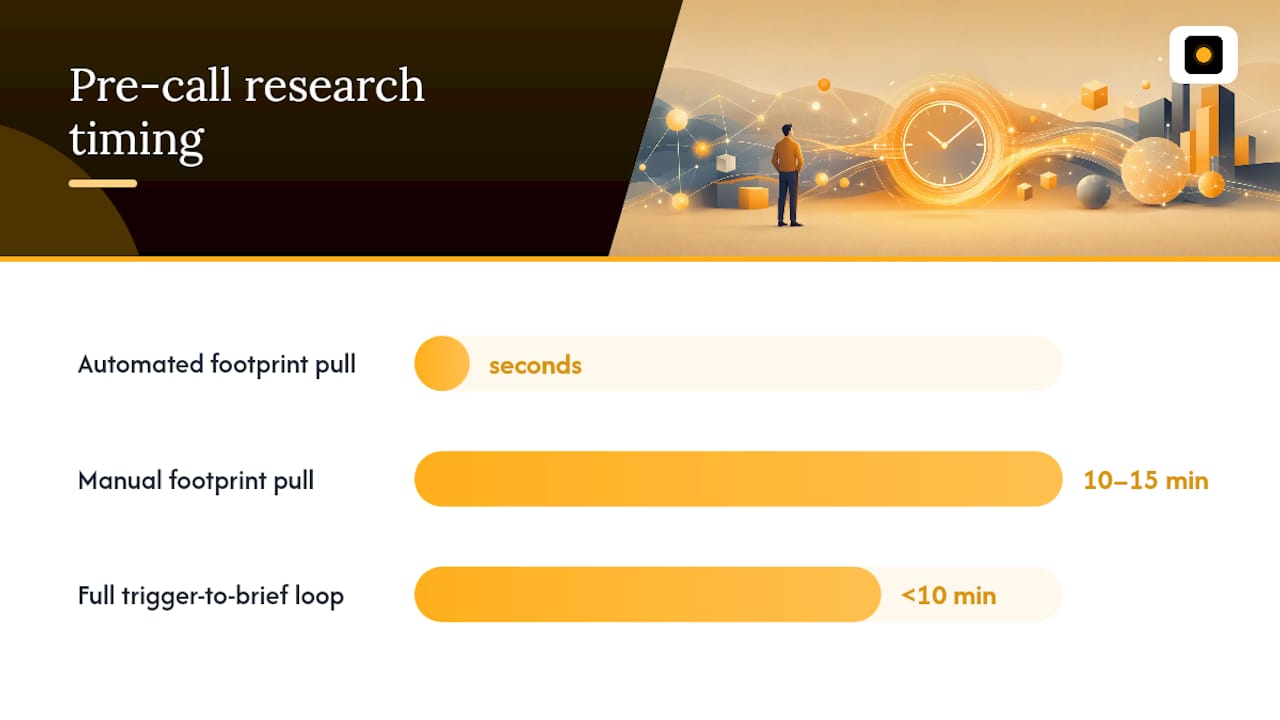
- Automated footprint pull: The tool pulls the company website, LinkedIn (company and attendee profiles), recent news, and open job postings. This takes seconds when automated, versus 10 to 15 minutes of manual tab-switching.
- Signal extraction: From that raw pull, the system isolates what actually matters: hiring patterns, funding events, product launches, and tech stack changes. This is the step most reps skip because it’s tedious by hand, and it’s exactly what an AI research agent is built to do at scale.
- Synthesis: Compress everything into a one-line elevator pitch for the company, three sourced “happening now” facts, and three opener hooks tied directly to those facts.
- Delivery: Push the brief where the rep will actually see it, a CRM note field, a meeting sidebar, or a Slack message, not buried in a shared drive nobody opens before a call.
The entire loop, from trigger to delivered brief, should run in under 10 minutes end to end, and most of that is machine time, not rep time.
Pro Tip: Set the delivery step to fire 15 minutes before the call, not immediately at booking. Signals change fast, and a brief generated a week ago about a “recent” funding round already reads stale.
Which Tools and Integrations Actually Automate This
You don’t need a dozen tools. You need four connection points that talk to each other cleanly.
- CRM and calendar integration: Send only the minimal fields needed to trigger research, meeting time, attendee name, company domain, deal stage. Anything more creates noise and privacy exposure you don’t need.
- Enrichment signals: Job-post crawlers, news monitoring, hiring trend feeds, and tech-stack detection tools do the heavy lifting of turning a company name into usable context.
- Agent patterns: An on-demand agent, usually a browser extension, works well for reps who research a handful of accounts a day and want control over when it fires. An always-on agent makes more sense for teams running high call volume where manual triggering becomes a bottleneck.
- Delivery and orchestration: A webhook paired with something like Zapier or n8n handles routing for teams without engineering resources; a direct API integration makes sense once volume justifies the build.
Pick the simplest combination that gets a brief in front of a rep before the call starts. Complexity here is a cost, not a feature.
Privacy and Compliance Controls for US Sales Teams
Automating research means moving prospect data through more systems, and that’s exactly where legal exposure creeps in. A few non-negotiable practices keep the risk manageable.
- Minimize and retain less: Keep only what you need, work email, role, and a short research summary, and set a retention window instead of storing everything indefinitely.
- Read the vendor terms before you connect anything: Check for contribution or model-training clauses and retention policies before syncing a new tool to your CRM. Many AI tools include language that permits using customer data to train their models, and that’s a problem if you haven’t checked first.
- Add human-approval gates: Require a person to review AI-generated content before it reaches a prospect, log activity per campaign, and honor opt-outs immediately.
The FTC’s guidance on protecting personal information is built around one core idea: map how data flows through your business, secure it with real technical and organizational controls, and train employees on what’s allowed and what isn’t. That single practice is the most effective safeguard against accidental exposure when you’re plugging third-party enrichment tools into a CRM, according to the FTC’s guide for business.
US teams also face a shifting state-level landscape. Recent moves, including New Jersey’s push to ban the sale of sensitive personal data, raise the stakes for anyone sharing prospect data across third-party tools without checking contract terms first. And while the EU AI Act’s disclosure and human-oversight requirements don’t apply to most US-only sales teams, the underlying practice, requiring a human to approve AI-generated outreach before it goes out, is worth adopting anyway. It buys trust and cuts risk regardless of jurisdiction.
The 90-Second Pre-Call Brief Template
A brief that takes longer than 90 seconds to read won’t get read before a call. Keep it to five fields, each with real examples baked in.
| Field | Example |
|---|---|
| One-line elevator | “Series A fintech, just closed a $12M round per their August press release.” |
| 3 verified facts (with source links) | Hired 2 growth marketers this month (LinkedIn); Launched a new API product (company blog, dated); Mentioned scaling challenges in a recent podcast interview (linked) |
| 3 tailored openers | “Saw you just brought on a growth team, what’s the priority for them in Q1?” |
| Objections/risks | Budget likely tied up in new hires through Q2; competitor already in a pilot |
| Next-step recommendation | Propose a 20-minute technical demo, not a full discovery call |
Citing the source mid-call, “I saw your August job posting for a growth lead”, does more for credibility than any generic rapport-building line, and it’s a habit worth building into every call.
Implementation Checklist and Common Pilot Mistakes
Run this as a scoped pilot before rolling it out to a full team.
- Pick 2 to 4 KPIs to track in weeks 1 through 4: brief open rate, read time, change in qualification rate, and rep satisfaction.
- Set acceptance criteria upfront, what result justifies expanding the pilot, so you’re not debating it after the fact.
- Run a security and terms review before enabling any CRM integration, specifically checking for contribution and training clauses.
- Review pitfalls weekly: briefs that are too long, signals that are noisy or unverified, missing delivery to where reps actually look, and no human reviewing content before it reaches a prospect.
Move it into the tool reps already have open, not a new dashboard they have to remember to check.*
For a broader look at pilot structure, Chad Burmeister’s guide to AI cold calling covers similar pilot-first thinking worth applying here.
Making AI Briefs Work in a Founder-Led Sales Motion
Trust the brief for facts, hiring, funding, launches, but personalize the framing yourself. Founder-led teams sell on judgment as much as information, and a rep who reads a stat off the brief verbatim sounds like a robot, not a peer.
Briefs get you into the room prepared. What happens once you’re on the call is a separate problem, and it’s where live coaching like OffBook earns its place, surfacing the next question or objection response in real time instead of leaving it to memory. Keep tracking your pilot KPIs and compliance checks regardless of how good the brief looks on day one.
— Neil
How OffBook Automates Pre-Call Prep and Live Coaching
Most tools stop at the brief. OffBook picks up from there and stays with you through the call itself. It automates the entire loop this article describes, pulling company and attendee research into a pre-call brief, delivering it to your meeting sidebar before the call starts, and then listening in real time to surface the next question, objection response, or qualification gap while you’re actually talking, all mapped to frameworks like MEDDIC and MEDDPICC.
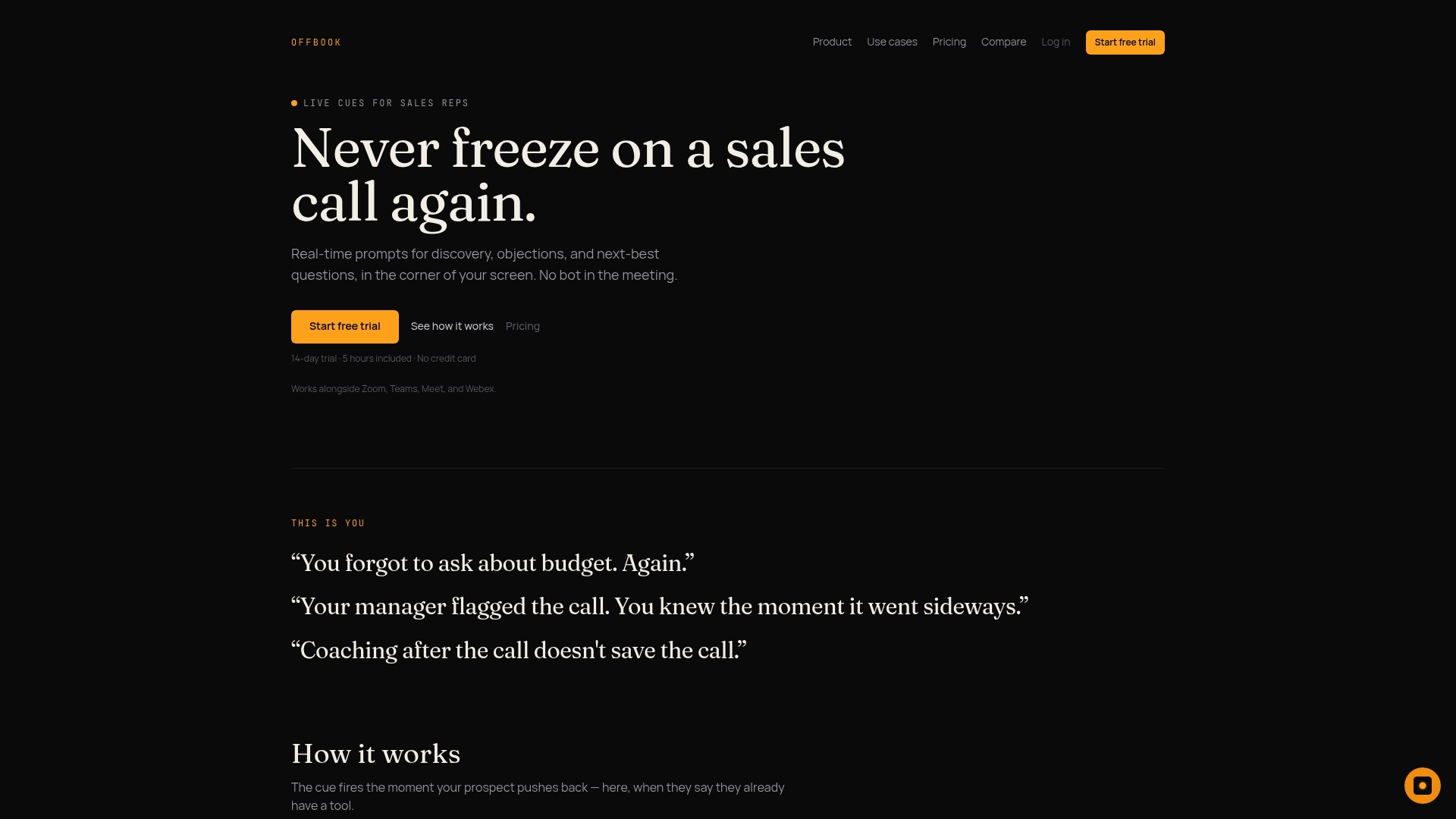
That combination matters most for founder-led B2B SaaS teams at seed and Series A, where there’s no dedicated sales-ops function to build this workflow from scratch and no room for a rep to freeze mid-call. OffBook was built for exactly that gap: reps who need the prep and the in-call support without hiring an enablement team to wire it together. If your current process ends at a brief nobody reads before the call, that’s the exact failure point OffBook is designed to close.
Check out OffBook’s sales coaching page to see how the brief-to-live-cue pipeline works, or start a trial directly at Offbook to run it on your next scheduled call.
Sources
- Protecting Personal Information: A Guide for Business (FTC)
- EU AI Act cold outbound compliance guide (Knowlee)
- Law